
Blog
Field notes from building DesignSetGo Apps.
Design rationale, release notes, and the occasional aside. Authored in WordPress, rendered through the same DSGo runtime that powers every page on this site.
-

One month of daily posts: what shipped, what worked, what is next
Read post →Thirty posts in thirty days. Three that landed. Three that did not. The numbers, the surprises, the things I would do differently. The next 30 days in two paragraphs.
-
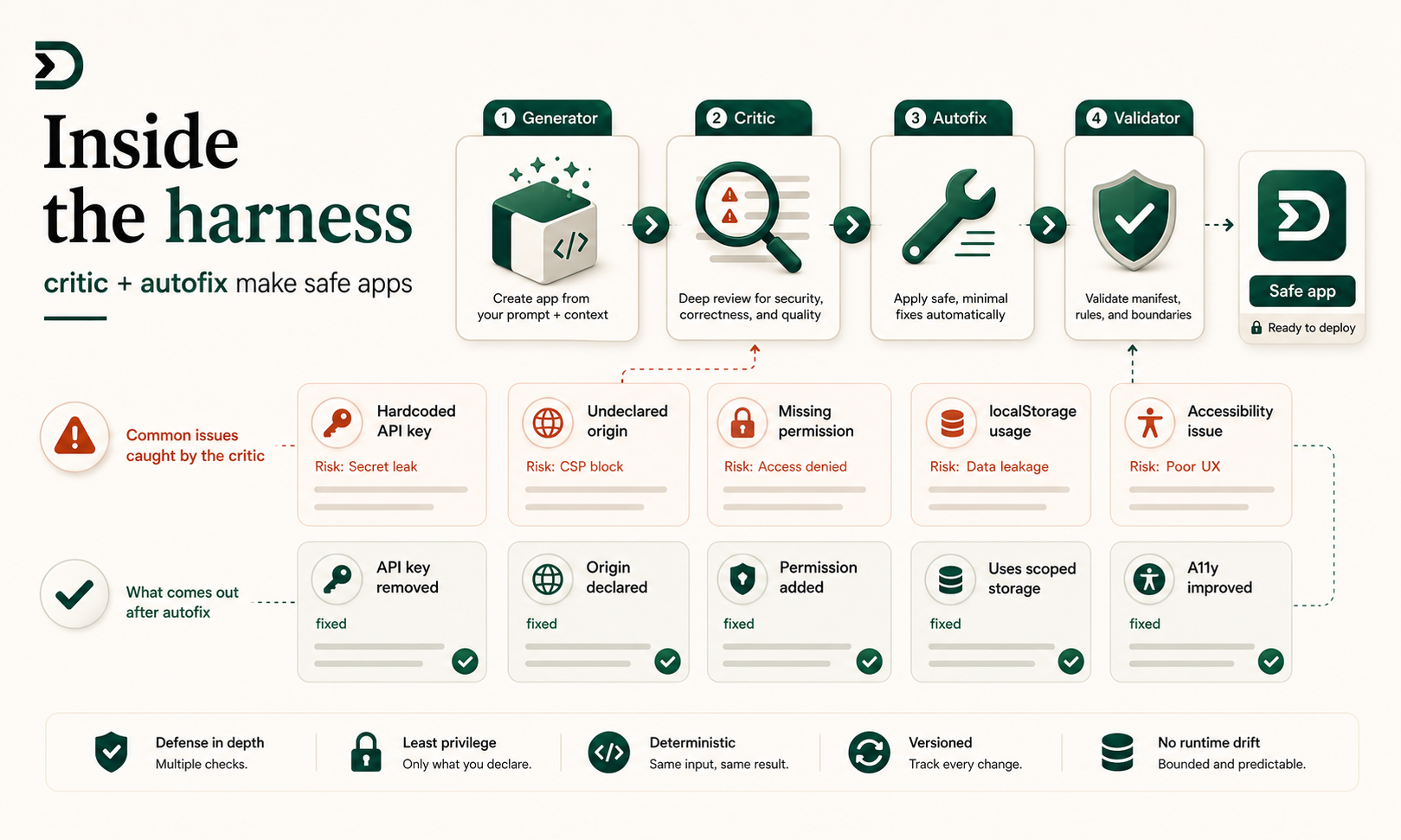
Inside the harness: what critic and autofix actually fix
Read post →The Pro harness adds a critic pass and an autofix loop to the generator. Here are five real failure modes the critic catches and the autofix repairs, with the diff each one produces.
-

Build a course-catalog app that pulls from a custom post type
Read post →LearnDash and LifterLMS solve the LMS half. Neither solves ‘I want a beautiful course catalog page.’ A DesignSetGo app reading your course CPT does, in the same hour you would spend tweaking a theme template.
-

A pricing checklist for freelancers shipping DesignSetGo apps to clients
Read post →Ten questions to ask before you send the invoice. Did you charge for the app or the deployment? Did you bundle updates? Did you bill for the second client site separately? The questions matter more than the answers.
-
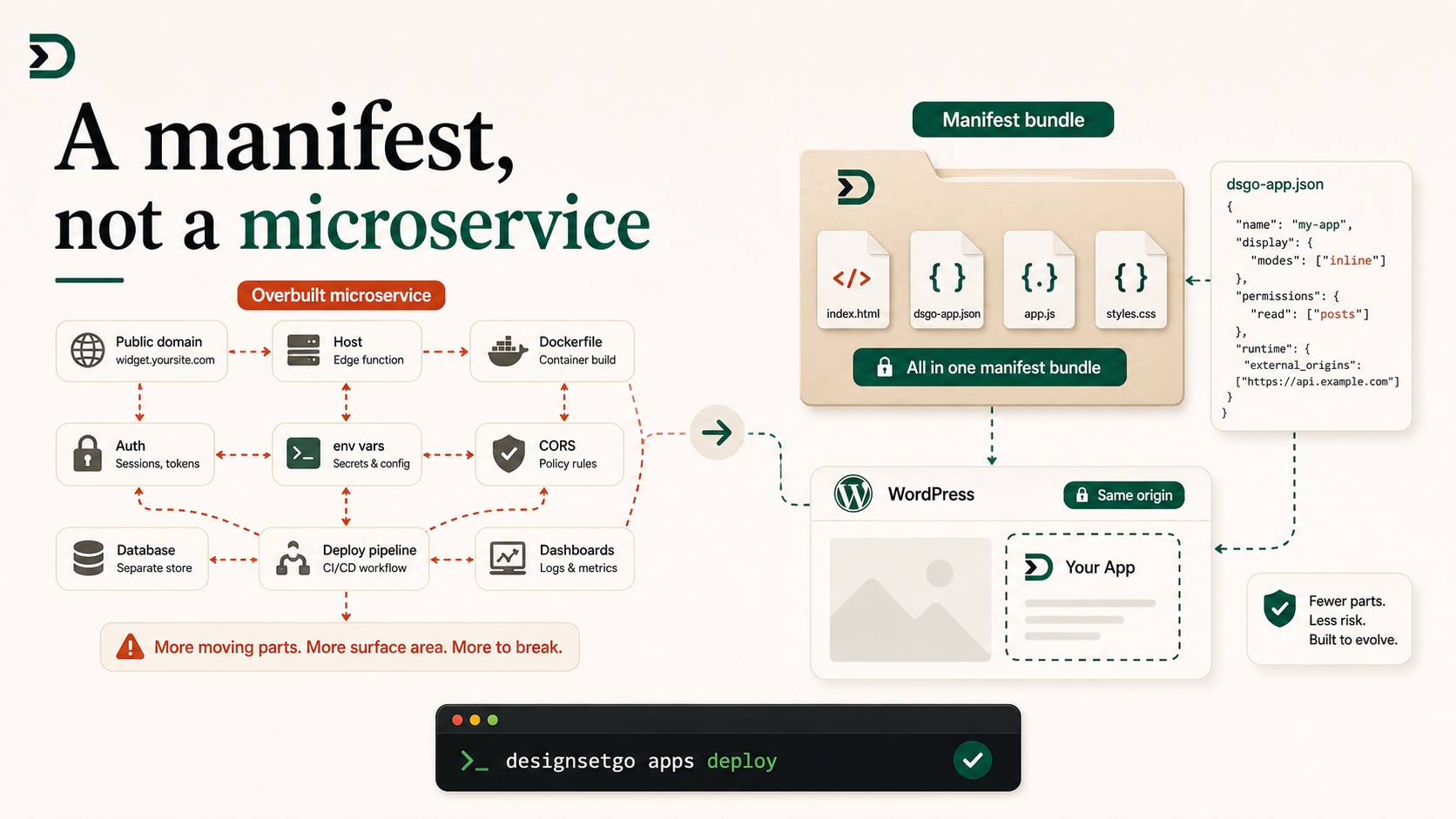
Why your custom widget should be a manifest, not a microservice
Read post →A small widget does not need a Dockerfile, a Vercel project, an env file, a CORS config, and a deploy pipeline. It needs a manifest, a folder, and one CLI command. The architectural reset.
-

Add a chatbot to a WordPress site without trusting a SaaS
Read post →Most WordPress chatbot plugins are thin wrappers around someone else’s API. The data, the conversation logs, and the billing all live somewhere you do not control. A DesignSetGo app uses your site’s Connector and stores conversation in your DB.
-

Build a DesignSetGo app from inside Claude.ai: the Connector walkthrough
Read post →You can build, install, and uninstall DesignSetGo apps on your WordPress site without ever opening wp-admin or a terminal. Add your site as a Connector in Claude.ai, type a prompt, the app is live.
-

DesignSetGo and WPML: how multilingual sites read through the bridge
Read post →Multilingual WordPress is one of the messiest spots in the ecosystem. WPML, Polylang, TranslatePress all hook into posts.list differently. The bridge respects whatever the site uses, because it routes through WP’s own query layer.
-

If it breaks, your site is fine: the safety pillar with receipts
Read post →Sandboxed is the marketing claim. This post is the receipts. Walk through three different misbehavior scenarios and show what actually happens to the rest of the site.
-

A real-estate listings browser as an inline-mode app
Read post →The standard real-estate plugin is a multi-megabyte beast that owns the listing CPT, the search, the templates, and the styling. A DesignSetGo app in inline mode reads the CPT you already have and renders the browser SEO-indexable.
-

Three apps every consultant should have on their own site
Read post →A booking form, a quote calculator, and a what-I-cost pricing page. All three are DesignSetGo apps. All three take an afternoon. All three are better than the SaaS stack.
-
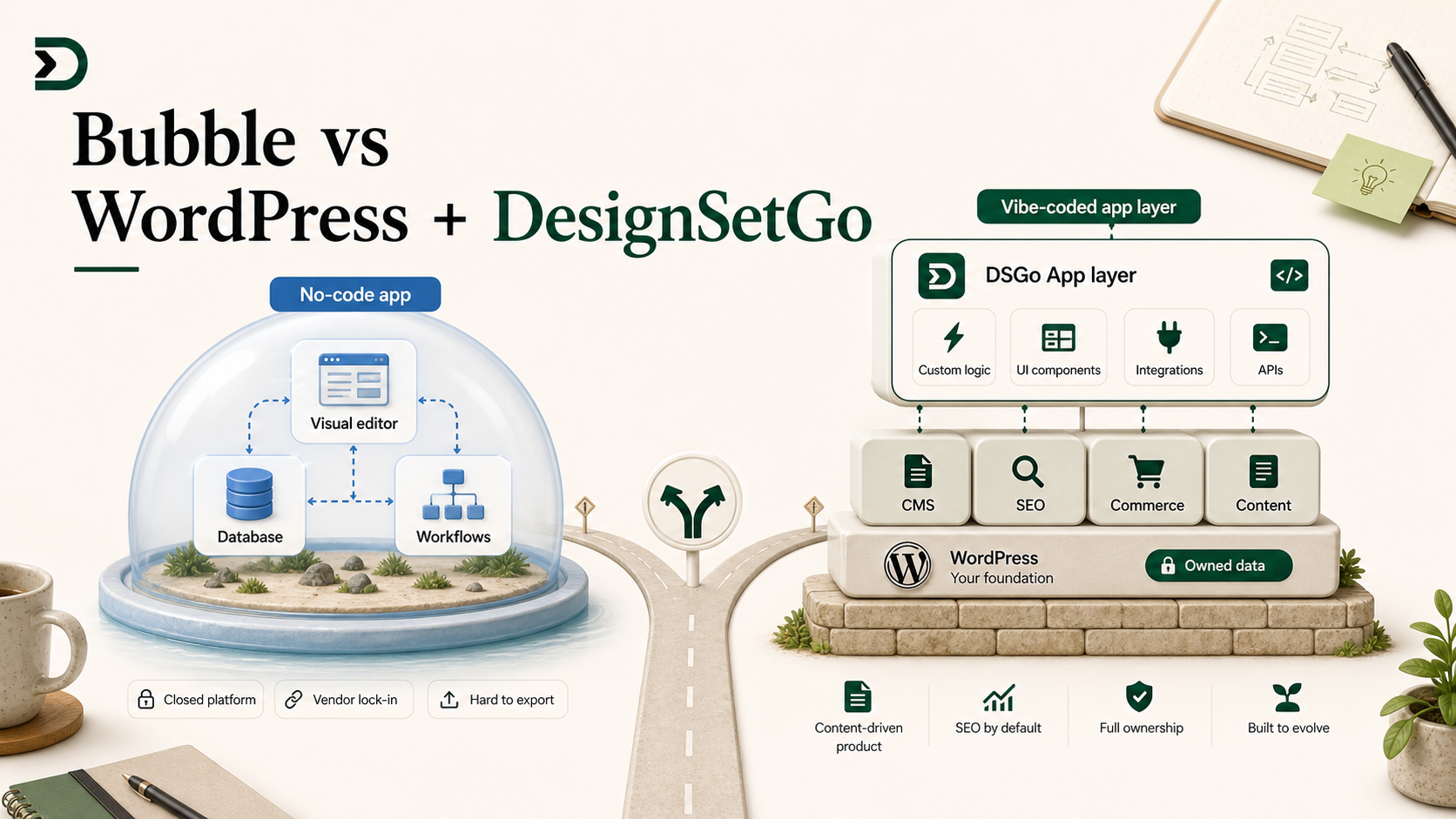
Bubble vs WordPress + DesignSetGo for the indie founder
Read post →Bubble is great until you want SEO, until you want to own your data, until you want to ship blog posts, until you want to integrate with WooCommerce. DesignSetGo gives the indie founder a vibe-code experience on top of a CMS they already understand.