
Blog /
A real-estate listings browser as an inline-mode app
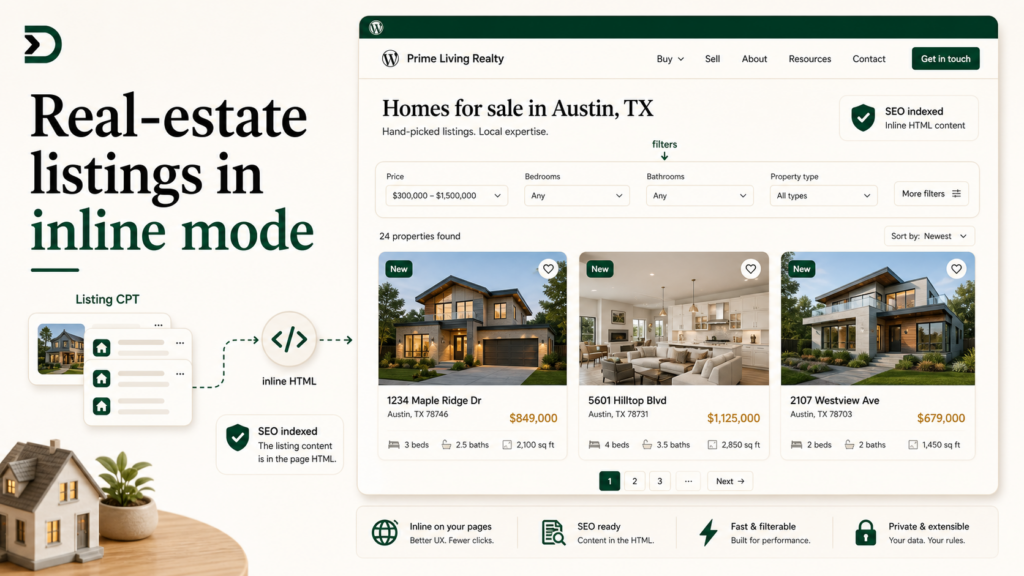
If you sell real estate on a WordPress site, you have a plugin choice early on. IDX Broker, ShowcaseIDX, RealtyPress, the WPL family. They all do roughly the same thing: own the listing custom post type, own the search UI, own the detail-page template, own the styling. You get a real-estate site in a box, with a per-agent or per-month bill.
That box is great if you are starting from zero and need everything yesterday. It is also a problem after about year two, when you want to redesign the listings page to match the rest of your site. The plugin’s templates are not yours. Overriding them means PHP, ACF, and a maintenance burden.
The DesignSetGo path is the inverse. The plugin you already have keeps doing the data work (the IDX feed, the listing CPT, the daily import). A DesignSetGo App reads from that CPT and renders the browse experience in your design system, in inline mode so the result is SEO-indexable like any other page on your site.
This post walks the build. Same wedge as the mortgage calculator tutorial, wider scope: not one widget, but the whole listings page.
What “inline mode” means and why it matters here
DesignSetGo Apps support two isolation modes, covered in detail in post 02. The short version:
- Iframe mode (the default): the app renders inside an iframe. Maximum isolation; minimal SEO surface. Search engines see the iframe wrapper, not the app’s content. Good for calculators, configurators, anything where SEO does not matter.
- Inline mode: the app renders as server-rendered HTML inside the page, with a per-request CSP. Search engines see the actual content of the app. Good for anything where SEO matters.
A listings browser absolutely needs SEO. People searching “3-bedroom homes in [your city]” find the listings page by searching. If the listings are not in the indexable HTML, the page does not rank. The standard real-estate plugins solve this by rendering their listings server-side. The DesignSetGo equivalent is isolation: "inline".
Step 1: scaffold
npx designsetgo apps init listings-browser
cd listings-browser
Open in Claude Code. The prompt:
Build a real-estate listings browser. Read posts from the
listingcustom post type (or whatever the site’s IDX plugin uses; fall back topropertyiflistingdoesn’t exist). Render them as a grid of cards with featured image, price, bedrooms, bathrooms, square footage, and address. Above the grid, three filter controls: a min-price/max-price slider, a bedrooms multi-select (1+, 2+, 3+, 4+), and a search-by-city text input. Click on a card to open the listing’s permalink. Style it like a modern real-estate site: white background, large photos, clean typography. Inline mode for SEO. Pagination at the bottom, 12 per page.
Claude Code writes the bundle. The shape is roughly:
import { dsgo } from '@designsetgo/app-client';
await dsgo.ready;

const params = new URLSearchParams(location.search);
const page = Number(params.get('page') ?? 1);

const listings = await dsgo.posts.list({
  type: 'listing',
  per_page: 12,
  page,
  meta_query: buildMetaQuery(params),  // helper for price/bed filters
  search: params.get('city') ?? undefined,
});

renderCards(listings);
renderPagination(page, listings._total_pages);
Step 2: the manifest with inline mode
{
  "manifest_version": 1,
  "id": "listings-browser",
  "name": "Listings",
  "version": "0.1.0",
  "entry": "index.html",
  "isolation": "inline",
  "display": {
    "modes": ["page"],
    "page": {
      "wrap": "theme",
      "sitemap": true,
      "title": "Listings | {{site.name}}",
      "meta_description": "Browse our current listings."
    }
  },
  "permissions": { "read": ["posts"], "write": [] },
  "runtime": { "sandbox": "strict", "external_origins": [] }
}
Two new fields compared to the iframe-mode examples we have walked so far.
isolation: "inline". The app renders into the page, not into an iframe. The CSP is generated per-request, with the same external_origins allowlist semantics as iframe mode, but applied to the page itself.
display.page. The inline-mode-specific config. wrap: "theme" makes the app render inside your WordPress theme’s header/footer (so the navigation, the site title, the footer are all part of the page). sitemap: true adds the page to your site’s XML sitemap. title and meta_description set the SEO metadata, with {{site.name}} resolving to the WordPress site name.
Step 3: deploy
npx designsetgo apps deployThe page is live at /apps/listings/ with full theme chrome, indexable HTML, sitemap inclusion, and the right title tag.
Open the page source. The listings markup is there in plain HTML, not just in a JavaScript bundle. Google’s crawler reads what a visitor reads.
Test the page in Google Search Console after a few days. It should be indexable; the URL inspector should show the rendered HTML matching the served HTML.
Step 4: route it to the right URL
The default app URL is /apps/listings/. Most real-estate sites want /listings/ (no /apps/ prefix). Two options.
Option A: rename the slug. Change manifest.id to something like properties and set the slug rewrite (Pro feature, covered in dynamic routes deep dive) to mount at /properties/.
Option B: WordPress page with the block embed. Create a WordPress page titled “Listings” with slug listings. Add a DesignSetGo Apps block. Pick the listings browser. The page is now at /listings/, rendered by your theme, with the app inline. This is the path most agents take because it composes with any other content the page already has (an intro paragraph above the listings, a contact CTA below).
Step 5: detail pages
A listings browser is the index. Each card links to the listing’s detail page, which is a normal WordPress post (the listing CPT post). The standard real-estate plugin renders those with its own template. You probably want to override that template too.
The DesignSetGo path for the detail page is another inline-mode app, this time configured with a dynamic route:
{
  "id": "listing-detail",
  "isolation": "inline",
  "display": {
    "modes": ["page"],
    "page": {
      "wrap": "theme",
      "dynamic_route": "wp:cpt:listing",
      "title": "{{post.title}} | {{site.name}}",
      "meta_description": "{{post.meta.headline}}"
    }
  },
  "permissions": { "read": ["posts", "post-context"] }
}
The dynamic_route: "wp:cpt:listing" tells the runtime to mount this app at every listing permalink. When a visitor lands on /listing/123-main-st/, the runtime resolves the post, passes it to the app via dsgo.context.post(), and the app renders the detail layout.
The dynamic routes deep dive is the canonical reference for this pattern. The mental model: one app, many URLs, one per post.
What this beats
The IDX plugin’s stock template is generic, often dated, and changes when the plugin updates. Overriding it requires PHP and copying their template into your theme. Two pain points:
- Every plugin update threatens to change the template hooks you depend on.
- The team that knows your design system (your designer or you) does not know PHP. The team that knows PHP (the WordPress freelancer you bring in) does not know your design system.
The DesignSetGo App version is HTML and JavaScript that you (or Claude) wrote. The IDX plugin keeps doing its data work; the rendering is yours. When the plugin updates, your template does not change. When you want to redesign the page, you change your bundle.
What you keep using the plugin for
This is important. The DesignSetGo App is not a replacement for the IDX plugin; it is a replacement for the IDX plugin’s templates.
The plugin still does:
- The MLS feed integration (the part that costs money to access).
- The daily import of new listings.
- Image management for listing photos.
- Map integration if you use one.
- Lead capture forms tied to MLS rules.
The app does:
- The browse experience (this tutorial).
- The detail page (one more app with a dynamic route).
- Any custom search experience your design system needs.
- Any custom widget (saved searches, mortgage calculator, neighborhood guide).
Composing the two is the wedge. The plugin does the data; you do the experience. Neither is the wrong tool. The mistake was conflating them.
The shorter version
Inline mode makes a DesignSetGo App SEO-indexable like a normal page. For surfaces that need SEO (listings, course catalogs, knowledge bases, anything with organic traffic), it is the right isolation choice. The standard real-estate plugin’s templates are the right thing to replace; its MLS integration is not.
Further reading
- Iframe vs inline: picking the right isolation mode: the full comparison of the two modes.
- Dynamic routes deep dive: the per-post mounting pattern for detail pages.
- How to add a mortgage calculator to a real-estate WordPress site: the wedge tutorial for the real-estate vertical.