
Blog /
How to add a mortgage calculator to a real-estate WordPress site
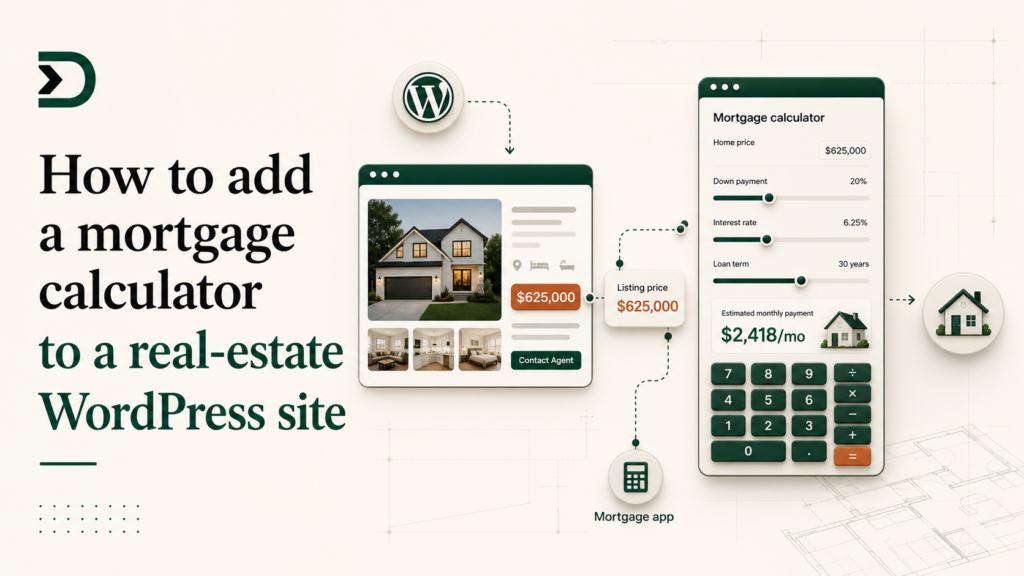
If you run a real-estate WordPress site, you have already searched for a mortgage calculator plugin. There are dozens. They all look more or less the same: a sidebar widget that asks for a home price, a down payment, an interest rate, and a term. The visitor types in numbers a generic calculator already knows from the listing they are looking at, and the widget spits out a monthly payment.
Two things are wrong with that.
First, the visitor is on a listing page. The listing already has a price. Asking them to retype it is rude and conversion-killing.
Second, the calculator is a sidebar widget, not part of the listing. It does not feel like “Robert’s mortgage estimator for this $675,000 house.” It feels like an ad.
This post walks the DesignSetGo version. A mortgage calculator that lives inside the listing post, knows the listing’s price the moment it loads, and looks like part of your brand. Twenty minutes of work. No code you have to write by hand, if you do not want to.
What you are building
A Gutenberg block you can drop into any property listing. When the block renders, it reads the post’s price meta field (or a custom field, or the post title, depending on your theme), pre-fills the home price, and shows a monthly-payment breakdown with a slider for the down payment.
The calculator is your colors, your fonts, your CTA at the bottom (“Talk to me about financing this home”). It is also self-contained and sandboxed, so if the math is wrong the rest of your site is fine.
Step 1: scaffold the app
Two paths. Pick the one that matches your day.
If you have Claude Code or Cursor open:
npx designsetgo apps init mortgage-calc
cd mortgage-calc
The starter drops an index.html, app.js, styles.css, dsgo-app.json, and a CLAUDE.md. Open the folder in your editor with Claude Code. It will read the CLAUDE.md and know about the bridge before you type a prompt.
Prompt:
Build a mortgage calculator app. On load, read the parent post’s
pricemeta field withdsgo.context.post()and use it as the home price. Render inputs for down payment (slider, 0% to 30%), interest rate (default 7.0%), and loan term (15 or 30 years). Show the monthly principal and interest, plus a one-line summary “$X,XXX/mo on a 30-year fixed at 7.0% with $XX,XXX down.” Style it to look like part of a real-estate listing, not a tax form. Add a CTA at the bottom: “Talk to me about financing this home” linking to /contact.
Claude Code will write the app, the manifest, and the styles. Run npx designsetgo apps deploy and the calculator is live.
If you would rather not open a terminal:
Open Claude.ai (or ChatGPT, or any chat that produces HTML artifacts). Use the same prompt as above. When Claude finishes the artifact, click the download button and save it as mortgage-calculator.html. In wp-admin, go to DesignSetGo Apps → Upload HTML, pick the file, click upload. App live at /apps/mortgage-calculator/ ten seconds later.
The HTML upload flow covers this path in detail.
Step 2: the manifest
Whichever path you took, the manifest looks like this:
{
  "manifest_version": 1,
  "id": "mortgage-calc",
  "name": "Mortgage Calculator",
  "version": "0.1.0",
  "entry": "index.html",
  "isolation": "iframe",
  "display": { "modes": ["block", "page"], "default": "block" },
  "permissions": { "read": ["post-context"], "write": [] },
  "runtime": { "sandbox": "strict", "external_origins": [] }
}
Two things to notice.
display.modes includes "block". That is what makes the calculator appear in the Gutenberg block inserter so you can embed it inside a listing post.
permissions.read includes "post-context". That is what lets the app see the parent post’s data (its title, its meta, its taxonomies) via dsgo.context.post(). Without that permission the call returns null and your calculator has nothing to pre-fill.
Step 3: read the listing price
The five lines that make this a real-estate calculator instead of a generic one:
import { dsgo } from '@designsetgo/app-client';
await dsgo.ready;

const ctx = await dsgo.context.post();
const listingPrice = Number(ctx?.meta?.price ?? ctx?.meta?._listing_price ?? 0);
Theme dependent. Most IDX themes (IDX Broker, ShowcaseIDX, RealtyPress) store the price as a meta field named price, _listing_price, or _property_price. If your theme uses ACF, it is whatever field name you picked. Worst case, you fall back to 0 and let the visitor type it themselves. Best case, the listing’s number is already in the input when the page loads.
Step 4: drop it into a listing
In the Gutenberg editor for any listing post, click the + to add a block. Search for “Mortgage.” Your app shows up in the picker (it inherited the block name from manifest.name). Click it. The calculator renders inline, reading the listing price you set in the post’s meta panel.
Save the post. View it. The calculator is there, pre-filled, in your colors, with your CTA. No sidebar widget, no generic styling, no “powered by SomeOtherCompany” footer.
What this beats
A generic IDX mortgage calculator plugin is doing one job: it has the math. The math is also two lines of JavaScript and Claude Code knew it before you typed the prompt.
What the generic plugin costs you:
- Brand consistency. Their colors, their fonts, their CTA (which is usually their own lead form, going to their CRM, not yours).
- Conversion friction. The visitor types in numbers the page already has.
- Maintenance surface. Another plugin to update, another author to trust, another set of admin pages.
What your DesignSetGo App costs you:
- Twenty minutes the first time. Five minutes the second time, because the prompt is now a template.
- One bundle to update if the rates change or you want a refinance variant.
- Zero new admin pages, because the app’s “settings” are the listing post’s meta, which you were editing anyway.
Where this goes
The mortgage calculator is one of three apps every real-estate site eventually wants. The other two: a saved-search emailer (read the visitor’s filter selections, save them per-user with dsgo.storage.user.*, send a digest), and a listings browser that reads your property CPT and renders a filterable grid. Both are vibe-codeable in an afternoon each. The listings browser gets its own walkthrough on June 13 (inline mode, SEO-indexable, the headless-WP-killer config).
If you are an agent reading this and you want me to build the calculator with you, send me a link to a listing page and I will record the 20-minute walkthrough using your real listing.
Further reading
- WordPress as a runtime: why apps live inside posts.
- The bridge cookbook: ten patterns including post-context reads.
- BRIDGE-API.md
#context: thedsgo.context.*surface.