
Blog /
A recipe filter that actually uses your recipes (food-blogger vertical)
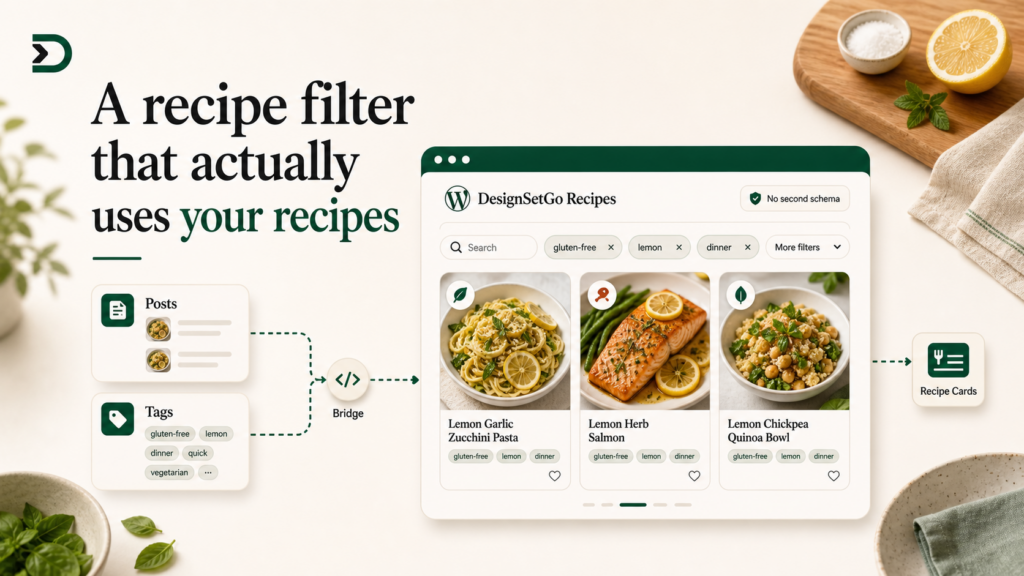
Food blogs have a structural problem most WordPress writers learn the hard way. The platform tells you to publish posts and categorize them. The recipe plugins (Tasty Recipes, WP Recipe Maker, Cooked) tell you to use their schemas: a custom database table, their own taxonomy, their own admin UI for managing ingredients and meal types. The two worlds rarely agree.
By the time you have 200 recipes, you are double-publishing. The post has the SEO-friendly content, the recipe plugin has the schema markup and the print view. The filter widget on the homepage reads from one of them and ignores the other. Adding a new “gluten-free” tag means editing both.
This post walks the DesignSetGo version. A recipe filter that reads your posts and your tags, with no separate schema, no separate admin, and no separate truth. You publish a recipe by publishing a post. You tag it “gluten-free” the same way you tag a post. The filter sees what the site sees.
Fits in an afternoon. Twenty minutes if Claude Code is already open.
What you are building
A filter UI that lives at /apps/recipes/ (or embeds inside your “All Recipes” page as a block). It reads:
- Your recipe posts (whichever category or post type you use for them).
- Your tag taxonomy (or a custom
ingredienttaxonomy if you have one). - Optionally, a custom
meal_typetaxonomy (breakfast, dinner, dessert).
It renders:
- A list of recipes.
- Filter chips for tags.
- A search box.
When the visitor clicks “gluten-free,” the list filters. When they type “lemon,” the list filters again. No page reload, no separate database to keep in sync.
Step 1: scaffold
npx designsetgo apps init recipe-filter
cd recipe-filter
Open in Claude Code. The CLAUDE.md in the starter already documents the bridge. Type:
Build a recipe filter app. Read recent posts from the
recipecategory (or, if the site does not have one, read posts taggedrecipe). Show them as a grid of cards with featured image, title, and excerpt. Above the grid, render a row of tag chips read from the site’s tag taxonomy, sorted by usage count, top 12. Clicking a chip filters the visible cards to recipes that have that tag. Below the chips, a search box that filters cards by title match. Style it to look like a food blog, not an admin panel.
Claude Code writes the app. The shape is roughly:
import { dsgo } from '@designsetgo/app-client';
await dsgo.ready;

// Read recipes (last 100; paginate if you need more).
const recipes = await dsgo.posts.list({
  category: 'recipe',
  per_page: 100,
  _embed: true,  // pulls featured image in the response
});

// Read tags by usage.
const tags = await dsgo.taxonomy.terms({
  taxonomy: 'post_tag',
  orderby: 'count',
  order: 'desc',
  per_page: 12,
});
Step 2: the manifest
{
  "manifest_version": 1,
  "id": "recipe-filter",
  "name": "Recipe Filter",
  "version": "0.1.0",
  "entry": "index.html",
  "isolation": "iframe",
  "display": { "modes": ["page", "block"], "default": "page" },
  "permissions": { "read": ["posts", "taxonomy"], "write": [] },
  "runtime": { "sandbox": "strict", "external_origins": [] }
}
Two read permissions. posts to list recipes. taxonomy to read the tag list. Nothing else.
If you have a custom taxonomy (say ingredient), declare it in your theme or via a plugin like Custom Post Type UI. The bridge sees whatever taxonomies are registered with show_in_rest: true. So dsgo.taxonomy.terms({ taxonomy: 'ingredient' }) works automatically once you flip that flag.
Step 3: deploy
npx designsetgo apps deployApp live at /apps/recipe-filter/. The “All Recipes” page on your site is now a page that renders your real recipes, your real tags, with your real categorization, and updates the moment you publish a new post.
What this beats
The standard food-blog filter widget reads from the recipe plugin’s database. Tasty Recipes has its own ingredient list. WP Recipe Maker has its own categories. The filter widget for the theme has a third schema. If you want a recipe to show up in the filter, you have to remember which of the three holds the ground truth.
The DesignSetGo version reads from the posts. There is no second source. If you publish a post in the “recipe” category and tag it “gluten-free,” the filter sees it the moment you publish. If you change the tag, the filter updates. If you unpublish, the filter forgets. The post is the truth.
That also means you can stop double-publishing. The post has the content. The recipe schema markup is a JSON-LD block you can drop in via a separate block (or by a plugin like RankMath that adds it automatically based on the post). The filter on the homepage reads the post. The schema reads the post. Everything reads the post.
You may decide you still want the recipe plugin for its print view and its featured-image-grid block. That is fine. But the filter is no longer coupled to it.
The deeper version: ingredient-level filtering
The above gets you tag-based filtering. The version food bloggers actually want is ingredient-level: “show me recipes with chicken and lemon and not garlic.”
The path:
- Register a custom taxonomy called
ingredient(use CPT UI or hand-roll a 12-line plugin). - Tag every recipe post with its main ingredients.
- Update the filter to read
dsgo.taxonomy.terms({ taxonomy: 'ingredient' })instead ofpost_tag.
The bridge does not care which taxonomy you query. The UI does not care either; it just renders the chips it gets. Adding ingredient-level filtering is a one-line bridge change.
If you have already been writing recipes for years and want to backfill the ingredient taxonomy, ask Claude. It can read a post’s content, propose ingredients, and let you confirm in batches via a small admin app you build on top of dsgo.posts.list and dsgo.posts.terms.set (the latter is a Pro write surface, worth a separate post).
Embed it inside the “All Recipes” page
The display.modes: ["page", "block"] line in the manifest enables both surfaces. Use the /apps/recipe-filter/ standalone URL during development. When you are happy, edit your “All Recipes” page, add the DesignSetGo block, pick the recipe filter. The filter renders inline. The page stays a real WordPress page with its own URL, breadcrumbs, and SEO content above and below.
The block-embed pattern gets its own strategic argument tomorrow. For this tutorial, the practical version: build the filter as a page mode app first, then add block mode when you want to drop it inside a post.
Where this goes
The recipe filter is the wedge for food bloggers. The deeper version is a “weekly meal planner” that reads your recipes, randomizes a week of meals, generates a shopping list, and lets the visitor save the list to their account. That whole flow is two bridge calls (dsgo.posts.list, dsgo.storage.user.set) and an AI prompt for the shopping list dedup (dsgo.ai.prompt). One bundle. No new plugins.
If you ship a recipe filter using this post, send a screenshot. I want to see one in the wild.
Further reading
- Reading your WordPress taxonomy from an app: a deeper tutorial on the taxonomy bridge surface (publishes June 10).
- Apps as content: why the Gutenberg block embed is the primary surface, not the standalone page (publishes May 31).
- BRIDGE-API.md §posts: the full posts/taxonomy surface.