
Blog /
Protecting your LLM API keys in WordPress 7.0: a defense-in-depth checklist
A small thread went around X today. Brian Coords kicked it off:
Can someone explain the FUD around WordPress storing AI API keys to me? How is this different than storing Stripe or other API keys? Genuine question.
Patrick Gallagher agreed:
This current panic is really really daft. Stripe, PayPal, email marketing, Hubspot, shipping, analytics… all of these things have been in the database, not encrypted, for decades.
Scott Buscemi pushed back:
AI keys are worth big money since you can run through thousands of dollars worth of AI tokens overnight. They’re particularly useful for bad guys right now. But you present a good point that this is a long standing WP issue.
And Nagesh Pai put it most starkly:
AI keys leaked out can bankrupt a person at agentic speeds.
Brian and Patrick are right that WordPress has been storing sensitive credentials in the database for two decades and the world has not ended. Scott and Nagesh are right that AI keys have a property the older ones don’t, and that property is worth taking seriously.
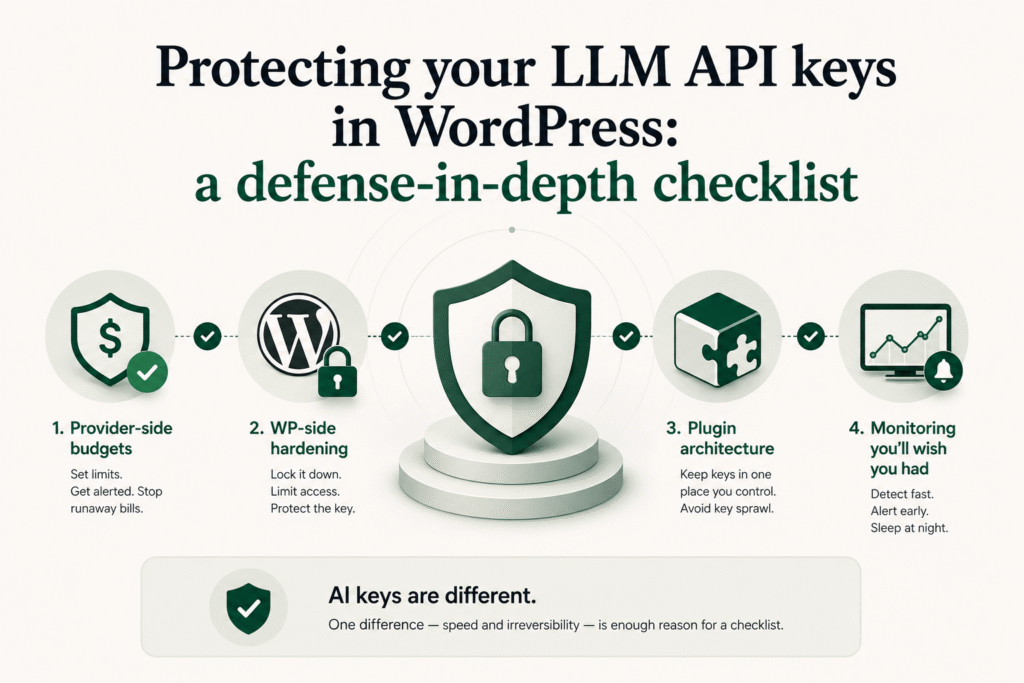
Both sides of the thread are talking past each other, which is normal for X. This post is the version I’d want to hand to a WordPress site owner who saw the thread and wanted to know what to actually do. Provider-side first, because that’s where the biggest lever is. WordPress-side second. Plugin-architecture third, because the choice of plugin is the difference between “my key is in one database I control” and “my key is in three vendors’ databases I don’t.”
What’s actually different about AI keys
Stripe and PayPal keys move money on rails that have fraud detection, chargebacks, dispute windows, manual review, and counterparties who can freeze a transaction. If your Stripe secret leaks tomorrow, the attacker who pulls it has to convert “API access” into “fungible value,” which means a refund attack or a card-testing scheme, both of which are loud, both of which Stripe has tooling against, and both of which you can recover from with a phone call.
AI keys move money on rails that have none of that. The provider’s billing system measures tokens, the tokens were genuinely consumed, the inference genuinely happened, and the bill is genuinely owed. There is no chargeback. There is no fraud window. The “fungibility” is built in: an attacker doesn’t need to convert API access into anything, because access to a frontier model is already valuable to resell on grey markets or to use for spam, content generation, deepfake pipelines, or just exhausting your budget to grief you.
Speed is the other half. A leaked Stripe key has to make charges against real cards, and the per-card limits and per-merchant limits and Stripe’s own velocity rules slow it down. A leaked Anthropic key gets parallelized across hundreds of concurrent requests against a $400 monthly cap in minutes, not hours. Nagesh’s phrase — “agentic speeds” — is the right one. You will not notice via a billing email at the end of the month. You will notice via a billing email at the end of the day, possibly the end of the hour.
So: Patrick’s “this is a long standing WP issue” is true. Scott’s “they’re particularly useful for bad guys right now” is also true. The combined answer is that the existing posture (keys in wp_options, hope nobody dumps the DB) was already not great for Stripe; for AI it’s the same posture against a faster, less-recoverable attack. So the checklist below is mostly defense-in-depth that you should have had anyway, plus a few items that matter specifically because of the speed-and-irreversibility properties of token billing.
Provider-side controls (the most important layer)
If you do nothing else, do this. Provider-side limits are the only thing that cap your downside regardless of what happens to the key. The WordPress side is necessary but not sufficient; the provider side is sufficient even when WordPress is compromised.
Anthropic
The console at console.anthropic.com gives you:
- Workspace-level monthly spend cap. Set it. If your monthly is $80, cap the workspace at $100. The provider hard-stops at the cap, not “warns and keeps billing.”
- Per-API-key monthly spend limit. Each key inside a workspace can have its own cap. Use this to give your WordPress site its own key with its own cap — say $50/mo if your normal usage is $30. The key for your local dev gets its own (smaller) cap.
- Usage alerts at thresholds. 50%, 75%, 90% of cap. These email you before the hard stop, so you can investigate before the site goes dark.
- Rate-limit tier awareness. Brand-new keys sit at Tier 1, which is 30,000 input tokens per minute on Sonnet. That cap is also a security feature: even a key with no spend limit can’t be drained faster than the rate limit allows. Don’t volunteer to tier up until you need to.
- Rotate on suspicion, not on confirmation. Anthropic lets you create a new key and revoke the old one in two clicks. If a contractor left, if a backup got emailed, if anything feels off, rotate. The cost of rotation is one settings update; the cost of not rotating is unbounded.
OpenAI
The dashboard at platform.openai.com gives you:
- Project-scoped keys. Create a project per site (and per environment within the site). A key scoped to “marketing-blog production” cannot run inference against “internal-tools dev.” If one leaks, the blast radius is one project.
- Hard and soft usage limits. Soft limits email you; hard limits stop the API. Set both, and set the hard limit to something you can absorb if it gets fully consumed in an hour.
- Per-key rate limits. OpenAI lets you set RPM/TPM caps per key, not just per organization. Cap your WordPress key at what your site actually needs, not what your account is theoretically allowed.
- IP allowlisting (org plans). If your WordPress site has a static outbound IP (most decent hosts do, ask your host), allowlist it. A leaked key still won’t work from an attacker’s machine.
Google AI / Gemini
Through Google Cloud Console:
- Billing budgets and alerts. GCP’s billing budget system is the most granular of the three. Set a budget on the project that owns your Gemini API key. Set alerts at 50/90/100%. Optionally trigger a Pub/Sub action at 100% that disables the API.
- API restrictions on the key. A Google API key can be restricted to specific APIs (Gemini only, not “all Google APIs the project happens to have enabled”) and to specific HTTP referrers or IPs.
- Quotas. Set request/minute quotas on the project. Same logic as above: a leaked key is bounded by what the quota allows.
The common pattern across all three: the provider knows about budgets and rate limits, your WordPress site does not. The provider can hard-stop a runaway in real time; WordPress can only refuse to make the next request, which doesn’t help if the next request isn’t coming from WordPress.
WordPress-side controls
These are the controls that reduce the probability of leak. They don’t bound the damage if a leak happens; that’s what the provider-side caps are for. Both layers matter.
1. Use the WordPress 7.0 Connectors API. This isn’t a security feature per se, but it consolidates the surface. With Connectors, the site admin pastes the key once at Settings → Connectors and every WP-AI-Client-using plugin inherits it. Instead of N plugins each writing the key into N different wp_options rows (and N different export/backup/staging-sync risks), the key lives in one place with one access path. If you’re on WordPress 7.0 or later and your AI plugin asks you to paste the key into its own settings screen instead of using Connectors, that’s a yellow flag — it means the plugin is doing its own key handling.
2. Restrict who can edit the connector. By default, only administrators can edit Connectors settings. Keep it that way. If you’re using a role plugin (Members, User Role Editor), audit which custom roles you’ve granted manage_options to — that capability gates the connector screen. Editor and Author should never have it.
3. Enable 2FA on every admin account. Application passwords or a 2FA plugin (WP 2FA, Two-Factor by the Two-Factor team). The single most common path to a database dump is “compromised admin login,” not “RCE in a plugin.” If your admin login requires a second factor, the attacker who phished your password still can’t get to the connector screen.
4. HTTPS-only admin, force-SSL admin, and disable XML-RPC if you don’t use it. Standard hardening. AI keys travel over the wire when you paste them; if any of that wire is HTTP, assume the key is compromised.
5. Audit your backup and staging story. Where do your full-database backups go? Who has access? When you push production to staging, does the connector get pushed too? Plenty of teams have a backup S3 bucket that’s “private” in a way that means “private from the public Internet, fully accessible to anyone with the deploy IAM role.” Treat your backup bucket like a key vault, because it is one.
6. Separate keys per environment. Production WordPress uses one key. Staging uses a different key, ideally on a different account or workspace, with a much smaller spend cap. Local dev uses a third. When (not if) someone commits a .env from local dev to a public repo, the blast radius is the local dev cap.
7. Watch the security advisories. Patchstack and Wordfence Intelligence track WordPress plugin vulnerabilities. Subscribe to their feeds. Any plugin that touches AI keys is, by definition, a high-value target. When an advisory drops for a plugin you use, patch on the same day, not at the next maintenance window.
Plugin-architecture choices
This is the layer most people skip and the one with the most leverage long-term. The choice of AI plugin determines how many copies of your key exist and how many parties have access to them.
Prefer plugins that use the WP AI Client / Connectors path over plugins that hold their own keys. The architectural shape matters. A plugin that uses wp_ai_client_prompt() doesn’t see your key, doesn’t store your key, and inherits whatever credential the site admin configured at Connectors. If the plugin gets compromised, the attacker has plugin-level access; they don’t get the key, because the plugin doesn’t have it. A plugin that has its own “paste your Anthropic key here” settings tab is storing a copy of the key in its own wp_options row, with its own access controls, and (in many cases) is also proxying your requests through the plugin author’s own infrastructure, which means a third copy lives in the plugin author’s logs.
Avoid plugins that proxy AI requests through the plugin author’s service. I wrote about this in Why we don’t hold your API keys. The TL;DR: a proxy architecture means your key (or the inference billed against your account) flows through the plugin author’s servers. That adds the plugin author’s incident-response posture, the plugin author’s backup discipline, the plugin author’s employee access controls, and the plugin author’s vendor security to your threat model. Connectors-based architecture eliminates all of that. DesignSetGo Apps is built this way deliberately: the dsgo.ai.prompt() call goes through WP AI Client, which routes through the site admin’s configured Connector, which talks to the provider directly. The plugin never sees the key, the plugin author never sees a request, the bundle never ships an API token.
Audit which plugins have “AI” features quietly added on. A lot of plugins in 2025 and 2026 grew an AI feature as a “while you’re at it.” SEO plugins added meta-description writers. Form plugins added auto-reply. Media plugins added alt-text generation. Each one of those is now a potential AI-key consumer; if the plugin uses Connectors, fine, you’ve already configured the key once. If it uses its own key field, you’ve now got another copy of the key in another row of wp_options. Look at your plugin list with this lens.
Monitoring and detection
The provider-side caps stop the damage. The monitoring catches the leak.
1. Set the alert thresholds and test them. Trigger the 50% alert deliberately by running real workload, and confirm the email lands in an inbox someone actually reads. An alert that goes to a shared distribution list nobody monitors is theater. Send it somewhere paged.
2. Set a low daily-spend anomaly threshold. Most providers will alert on hitting a percentage of monthly cap; fewer alert on “today’s spend is 5x yesterday’s.” If your provider supports day-over-day anomaly detection, enable it. If not, a small daily cron that pulls the usage API and emails you on a delta over your threshold takes 20 minutes to write and pays for itself the first time it fires.
3. Pull provider usage into a dashboard. Anthropic, OpenAI, and Google all expose usage APIs. A simple Looker Studio or Grafana board showing daily spend per key, per project, per workspace, is enough to spot a problem on the morning of, not the end of the month.
4. Log the WordPress side too. A plugin like Simple History or WP Activity Log will record connector changes (who edited the Connector key and when) and admin role changes. When a key gets rotated unexpectedly, you want a trail.
The short version
- The thread is right that “keys in the database” is a long-standing WP situation. The thread is also right that AI keys are different in one specific way: damage is fast, automated, and unrecoverable.
- Provider-side budget caps are the single most effective control. Set them per workspace and per key, on every provider, today.
- WordPress-side hardening reduces leak probability. 2FA, admin-only Connector access, HTTPS, backup discipline, environment-separated keys, security-advisory feeds.
- Plugin architecture is the biggest long-term lever. Prefer Connectors-based plugins. Avoid plugins that proxy your requests. Audit which plugins quietly grew an AI feature.
- Monitoring catches what hardening misses. Threshold alerts, anomaly alerts, and a usage dashboard that someone actually looks at.
None of this is exotic. It’s the same posture you’d want around any high-value credential. The reason the AI-key version of the conversation feels new is that the failure mode is faster and less reversible. The mitigations aren’t new at all.