
Blog /
Build an AI content companion that writes posts in your site’s voice
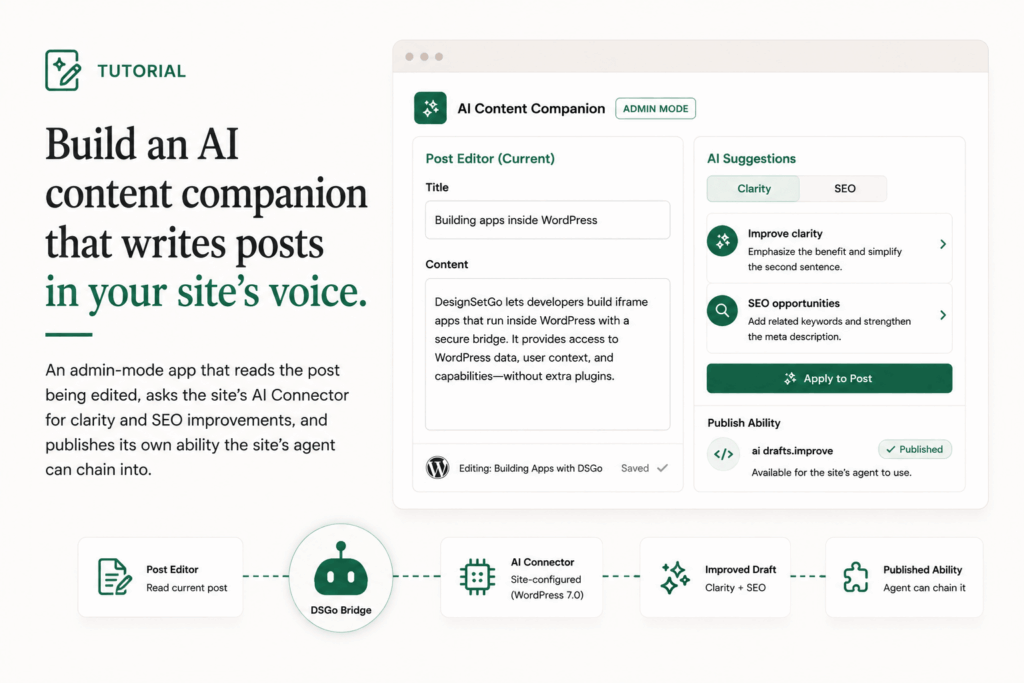
The recipe ranker post was the smallest possible AI bridge tutorial: one round-trip per render, captioning a list of recipes with the model. This one extends the surface in two directions that matter.
The first: admin-mode rendering. The app lives inside wp-admin, in the block editor’s sidebar, instead of on a public URL. That means the app has access to the contextual postId of whatever’s being edited, and can render its UI alongside the editor without taking over the screen.
The second: ability publishing. The app exposes a function the site’s AI agent can call directly. The agent doesn’t need to know the app exists; it discovers content-companion/suggest-improvements in the abilities registry and invokes it like any other ability. The companion’s user-facing panel and the agent’s tool call hit the same code path.
This post walks through examples/ai-content-companion. The example is shipped as a “preview” version: if the host site doesn’t yet have WP 7.0 surfaces, the bundle degrades to mock notes so you can see what the UI looks like before configuring a Connector.
The manifest
{
  "manifest_version": 1,
  "id": "content-companion",
  "name": "AI content companion",
  "description": "Editor-side companion that reads the current post and suggests clarity and SEO improvements.",
  "version": "0.1.0",
  "entry": "index.html",
  "isolation": "iframe",
  "display": { "modes": ["admin"], "default": "admin" },
  "permissions": { "read": ["posts", "abilities", "ai"], "write": [] },
  "abilities": {
    "consumes": ["yoast/analyze-page-seo"],
    "publishes": [
      {
        "name": "content-companion/suggest-improvements",
        "label": "Suggest content improvements",
        "description": "Given post text, return a short list of clarity and SEO suggestions.",
        "category": "content",
        "input_schema": {
          "type": "object",
          "properties": {
            "post_id": { "type": "integer" },
            "content": { "type": "string" }
          },
          "required": ["content"]
        },
        "output_schema": {
          "type": "object",
          "properties": {
            "notes": {
              "type": "array",
              "items": {
                "type": "object",
                "properties": {
                  "type":       { "type": "string" },
                  "severity":   { "type": "string" },
                  "title":      { "type": "string" },
                  "detail":     { "type": "string" },
                  "suggestion": { "type": "string" }
                }
              }
            }
          }
        },
        "annotations": { "readonly": true, "destructive": false, "idempotent": true }
      }
    ]
  },
  "ai": { "max_tool_calls": 5, "timeout_seconds": 60 },
  "runtime": { "sandbox": "strict", "external_origins": [] }
}
A lot of fields, but each one earns its place:
display.modes: ["admin"]. The app renders inside wp-admin, not on a public URL. The block-editor sidebar gets a “Content companion” panel; the iframe loads when the editor expands it. (If you also wanted a/apps/content-companion/URL, you’d add"page"to the modes list. Most companions don’t need this.)permissions.readincludesabilities. The companion callsyoast/analyze-page-seoif Yoast is installed. If Yoast isn’t installed, the call returns a “no provider” error and the companion falls back to its own AI prompt. Both paths are demonstrated below.abilities.publisheslists the companion’s own ability. Once the app installs, the site’s AI agent (running in wp-admin via@wordpress/abilities) can discover and invokecontent-companion/suggest-improvementsdirectly. This is the publish-side surface that makes the companion something the site can compose with, not just a tool the editor opens.ai.max_tool_calls: 5. The companion may call the model multiple times per editor session (one for the initial read, one per re-prompt as the editor types, etc.). The cap keeps a runaway prompt from chaining indefinitely.
Reading the post
In admin mode, the bridge context exposes the editor state, including the post being edited:
const dsgo = window.dsgo;

async function fetchCurrentPost() {
  if (!dsgo?.posts?.get) return null;

  const ctx = dsgo.context || {};
  const pid = ctx.editor?.postId ?? ctx.postId;
  if (!pid) return null;

  try {
    return await dsgo.posts.get(Number(pid));
  } catch {
    return null;
  }
}
Two contextual paths because the bridge’s editor context is still settling: dsgo.context.editor.postId is the canonical location, with dsgo.context.postId as a fallback. Both will resolve to the same value for the foreseeable future; the defensive accessor is just to insulate against the canonical name moving.
The bridge respects edit capabilities. If the user has edit_posts, they can read drafts and revisions. If not, they can only read published content. Your code doesn’t need to check; the bridge is doing it.
Calling Yoast for SEO
If Yoast SEO is installed, its yoast/analyze-page-seo ability returns a structured analysis. The companion’s manifest declares it consumes that ability, so the install dialog explicitly mentions Yoast as a dependency:
async function fetchSeoFromYoast(post) {
  if (!dsgo?.abilities?.list || !dsgo?.abilities?.invoke) return null;

  try {
    const list = await dsgo.abilities.list();
    const has = (list || []).some((a) => a?.name === 'yoast/analyze-page-seo');
    if (!has) return null;

    const result = await dsgo.abilities.invoke('yoast/analyze-page-seo', {
      post_id: post.id,
    });

    if (!result || !Array.isArray(result.notes)) return null;
    return { notes: result.notes, source: 'Yoast SEO ability' };
  } catch {
    return null;
  }
}
Two patterns worth pointing at:
abilities.list()first,invoke()second. The list gives you a way to feature-detect without triggering a “this ability does not exist” error. For an ability that may or may not be present (Yoast is optional from the companion’s perspective), check first.- Return
nullon failure, not throw. The companion has a fallback path. Throwing forces the caller into a try/catch when a clean nullable is what they actually want. Bridge methods reject; your wrapper functions can still return null when null means “tried, didn’t work, move on.”
The AI fallback
If Yoast isn’t there, ask the model directly:
async function fetchFromAi(post) {
  if (!dsgo?.ai?.prompt) return null;

  const prompt = [
    'You are a copy editor. Read the draft below and return up to five short notes.',
    'Each note must be JSON in the shape {type, severity, title, detail, suggestion}.',
    'Allowed types: clarity, voice, seo, title, headers, flow, cta.',
    'Allowed severity: info, warn.',
    'Reply with a JSON array only.',
    '',
    'Draft title: ' + (post.title || ''),
    'Draft body: ' + stripTags(post.content || '').slice(0, 4000),
  ].join('\n');

  try {
    const resp = await dsgo.ai.prompt({
      messages: [{ role: 'user', content: prompt }],
    });

    const text = resp?.text ?? resp?.content ?? '';
    const first = text.indexOf('[');
    const last = text.lastIndexOf(']');
    if (first === -1 || last === -1) return null;

    const json = JSON.parse(text.slice(first, last + 1));
    if (!Array.isArray(json)) return null;

    return { notes: json, source: 'WP AI Connector' };
  } catch {
    return null;
  }
}
A few patterns worth pointing at:
- The
[and]slicing. Models occasionally return JSON wrapped in commentary (“Here’s the array: […]. Let me know if…”). Slicing on the first[and the last]extracts the array reliably. A schema-mode response (response_format: { type: 'json_object' }) would skip this, but not every Connector supports schema-mode yet. - A 4000-character cap on draft body. Long posts blow the model’s context window or your tool-call budget. 4000 characters is roughly 1000 tokens, well within any provider’s limit. For longer posts, you’d chunk and run multiple passes.
- Strip HTML before passing to the model.
stripTagscollapses runs of whitespace too. The model doesn’t read HTML usefully; passing raw block markup wastes tokens and confuses the analysis.
Publishing the ability
The publish-side is what makes this app interesting. The same logic the editor sees in the panel is also exposed as a callable function:
dsgo.abilities.implement(
  'content-companion/suggest-improvements',
  async ({ content, post_id }) => {
    // If we have a post_id and Yoast is available, use it.
    let yoast = null;
    if (post_id) {
      const post = await dsgo.posts.get(Number(post_id)).catch(() => null);
      if (post) yoast = await fetchSeoFromYoast(post);
    }
    if (yoast) return { notes: yoast.notes };

    // Fall back to AI.
    const fakePost = { id: post_id, title: '', content };
    const ai = await fetchFromAi(fakePost);
    return { notes: ai?.notes ?? [] };
  }
);
Once the app installs, the site’s AI agent can discover the ability and invoke it. The editor doesn’t have to open the companion panel; the agent calls into it from wherever it’s running. A user typing in the wp-admin AI chat sidebar can ask “improve this draft” and the agent will reach for content-companion/suggest-improvements automatically.
The publisher mounts a hidden iframe of the companion on demand to handle the call. The user never sees the iframe; the call returns structured data, and the agent uses it.
Why this app is structurally different
The earlier tutorial apps (contact, member portal, recipe ranker, shop) are destinations. They have URLs. A user navigates to them.
The content companion is something the agent can use as a verb. It still has an admin-mode panel for the editor, but the more interesting surface is the published ability. Two months from now, a different plugin’s agent integration could call content-companion/suggest-improvements without knowing or caring that it’s implemented by an iframe app written in five hundred lines of JS.
That’s the inversion the Apps as Abilities post talks about. This tutorial is the smallest concrete example of it. The vertical-pack version (ten apps publishing twenty-six abilities) is in the vertical pack post.
Constraints worth knowing
- Browser-context only. Published abilities run inside the hidden iframe, which means they only resolve when there’s a browser session active. Server-side callers (WP-CLI, cron, PHP-context invocations) get a structured
client_only_abilityerror pointing them at the browser-side surface. v2 may change this; v1 doesn’t. - Eight publishes per app, max. The companion ships one. Most apps that publish abilities ship one or two; the cap is there to prevent a “we published thirty abilities” spam pattern.
- Iframe-mode only. Inline mode runs too entangled with the page to host an isolated handler. The companion is iframe; it can’t be inline.
- The preview/mock fallback is a deliberate pattern. When an example bundle relies on a feature that may not be configured (a Connector, a specific other plugin), shipping with a mock fallback keeps the bundle demonstrable. Real bundles you ship to a customer site can drop the mock; for examples that ship in the repo, keeping the fallback means the example “works” out of the box even on a vanilla install.
Deploy
git clone https://github.com/DesignSetGo/dsgo-apps.git
cd dsgo-apps/examples/ai-content-companion
npx designsetgo apps deploy --build
Open any post in the block editor. Look for “Content companion” in the sidebar. The first time, expand it; the iframe loads, fetches the post, asks the Connector (or Yoast, if installed), renders suggestions. From then on, the site’s AI agent (in the wp-admin chat sidebar) also has access to the same logic by name.
Where to go next
- The Apps as Abilities post for the architectural rationale behind publish-side abilities.
- The bridge API reference for the full
abilities.implementandai.promptsurfaces. - The next post: a pricing page that uses inline mode for SEO and theme integration.