
Blog /
WordPress is the backend your vibe-coded app forgot it needed
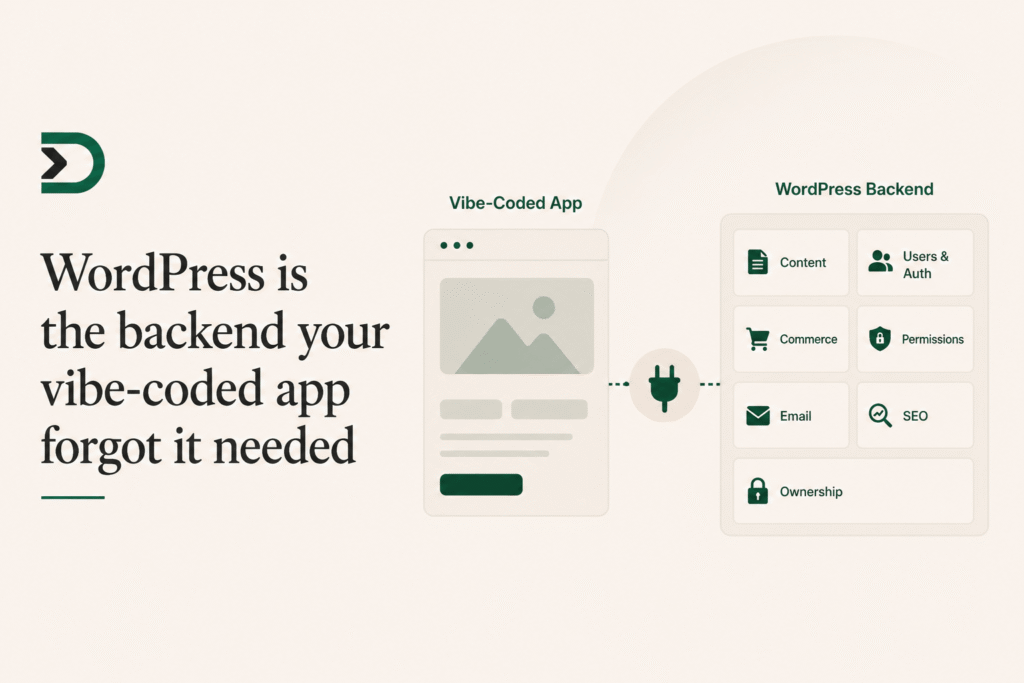
Vibe-coding made front ends feel free.
Describe a calculator. Get a calculator. Describe a dashboard. Get a dashboard. Describe a quiz, a planner, a product selector, a lesson browser, a directory, a lead magnet. The first version appears fast enough that it changes what you are willing to try.
That part is real. The bottleneck moved.
The new bottleneck is everything around the interface: content, users, auth, permissions, email, search, backups, ownership, and the place the thing lives once the chat window closes.
That is the part WordPress is already good at.
The app is not the system
An AI builder can make the visible surface quickly. That does not mean the system exists.
A recipe ranker needs recipes. A course recommender needs lessons. A member dashboard needs members. A product configurator needs products. A lead magnet needs email delivery. A pricing tool needs plan data and checkout links. A content companion needs the site’s voice, categories, and publishing context.
Those are not front-end problems.
You can recreate them from scratch. Supabase for data. Clerk for auth. Resend for email. Stripe for payments. A CMS if content matters. A deploy target. A domain. Backups. Permissions. Admin UI. Moderation. Logs. Suddenly the little app is not little anymore.
Or you can notice that a WordPress site already has most of this.
WordPress as the durable layer
WordPress has boring superpowers:
- Posts and pages.
- Custom post types.
- Taxonomies.
- Users and roles.
- Authentication.
- Media.
- Plugin integrations.
- Commerce.
- SEO.
- Backups.
- Editorial workflows.
- A known admin UI.
Those are not glamorous. They are the reason WordPress keeps surviving every wave of “this will replace WordPress” discourse.
When you build a small custom app for a WordPress site, the app should not rebuild those pieces. It should use them.
That is the DesignSetGo bet: let AI make the app surface, let WordPress remain the durable backend, and put a permissioned bridge between them.
Why this matters for site owners
Most site owners do not want “an app” in the abstract. They want a tool that works with their actual site.
They want a calculator that knows their services. A filter that knows their posts. A quiz that can be embedded in a landing page. A dashboard that knows who is logged in. A product selector that reads WooCommerce products. A content helper that can call the site’s AI Connector without exposing API keys.
The value is not that the UI exists. The value is that the UI knows the site.
If the app lives somewhere else, that knowledge has to be recreated through glue. If the app lives inside WordPress, the bridge can provide it directly.
Why this matters for developers
Developers do not need another place to deploy a toy. They need a low-friction way to ship client-specific tools that do not become maintenance nightmares.
The usual options are awkward:
- Build a full WordPress plugin for a small custom interface.
- Deploy a Vite or Next app elsewhere and iframe it back.
- Paste generated code into a snippet manager.
- Tell the client the idea is too custom for the budget.
DSGo Apps gives you another shape: static bundle, manifest, bridge, deploy. The app stays isolated. WordPress supplies the data and identity. The client gets a thing on their site, not a link to another platform.
That is a better unit of work for a lot of client requests.
The backend was there the whole time
The interesting part of AI app generation is not that it replaces WordPress. It is that it makes WordPress more useful.
WordPress already has the durable layer. AI makes the custom surface cheap enough to build. DSGo connects those two ideas without making you paste untrusted code into the site runtime.
That is why the product is not “AI-powered WordPress.” That phrase is too vague to mean anything.
The real phrase is:
Vibe-code apps that know your WordPress site.
The backend was already there. The app just needed a safe way to talk to it.
Nealey