We tried six recipes this week. Here are the ones that lasted past lunch.
Click the title of any recipe to see the full post. The list reorders as you and other visitors read.
We tried six recipes this week. Here are the ones that lasted past lunch.
Click the title of any recipe to see the full post. The list reorders as you and other visitors read.
Why your future self will thank you.
From green beans to drinkable cup in 12 minutes.
Sag, rebound, low-speed compression – the order matters.
Three days, 200 miles, two flat tires.
I want to talk about the part of DesignSetGo Apps that I think is the most underrated, because it took me a while to fully see it myself.
WordPress 7.0 (May 2026) brought three pieces together: the Connectors API (one place to configure your AI provider), the WP AI Client (a provider-agnostic PHP API for calling the model), and the client-side half of the Abilities API, a way to register functions the site’s AI agent can invoke. The server-side Abilities API actually landed earlier in WP 6.9 (Nov 2025), and Yoast SEO Premium 27.5 was already shipping abilities like analyze_page_seo and suggest_internal_links by April 2026. Plugins are becoming things you talk to, not just things you click around in.
DSGo Apps plugs into all three of those. Apps you build can prompt the model via dsgo.ai.prompt(). No API keys to manage; the site’s configured Connector handles it. That part’s table stakes for any plugin in the WP 7.0 era.
The interesting part is the other direction.
A DSGo App can declare in its manifest that it publishes one or more abilities:
{
  "id": "recipe-converter",
  "isolation": "iframe",
  "abilities": {
    "publishes": [
      {
        "name": "recipe-converter/convert-units",
        "label": "Convert recipe units",
        "description": "Convert recipe measurements between metric and imperial.",
        "category": "content",
        "input_schema": { "type": "object", "properties": { "recipe": { "type": "string" } }, "required": ["recipe"] },
        "output_schema": { "type": "object" },
        "annotations": { "readonly": true, "destructive": false, "idempotent": true }
      }
    ]
  }
}
A few rules worth knowing: ability names are namespaced under your app’s id (recipe-converter/*, never another app’s), and publishing is iframe-mode only in v1, because inline-mode apps run too entangled with the page to host an isolated handler. Max eight publishes per app.
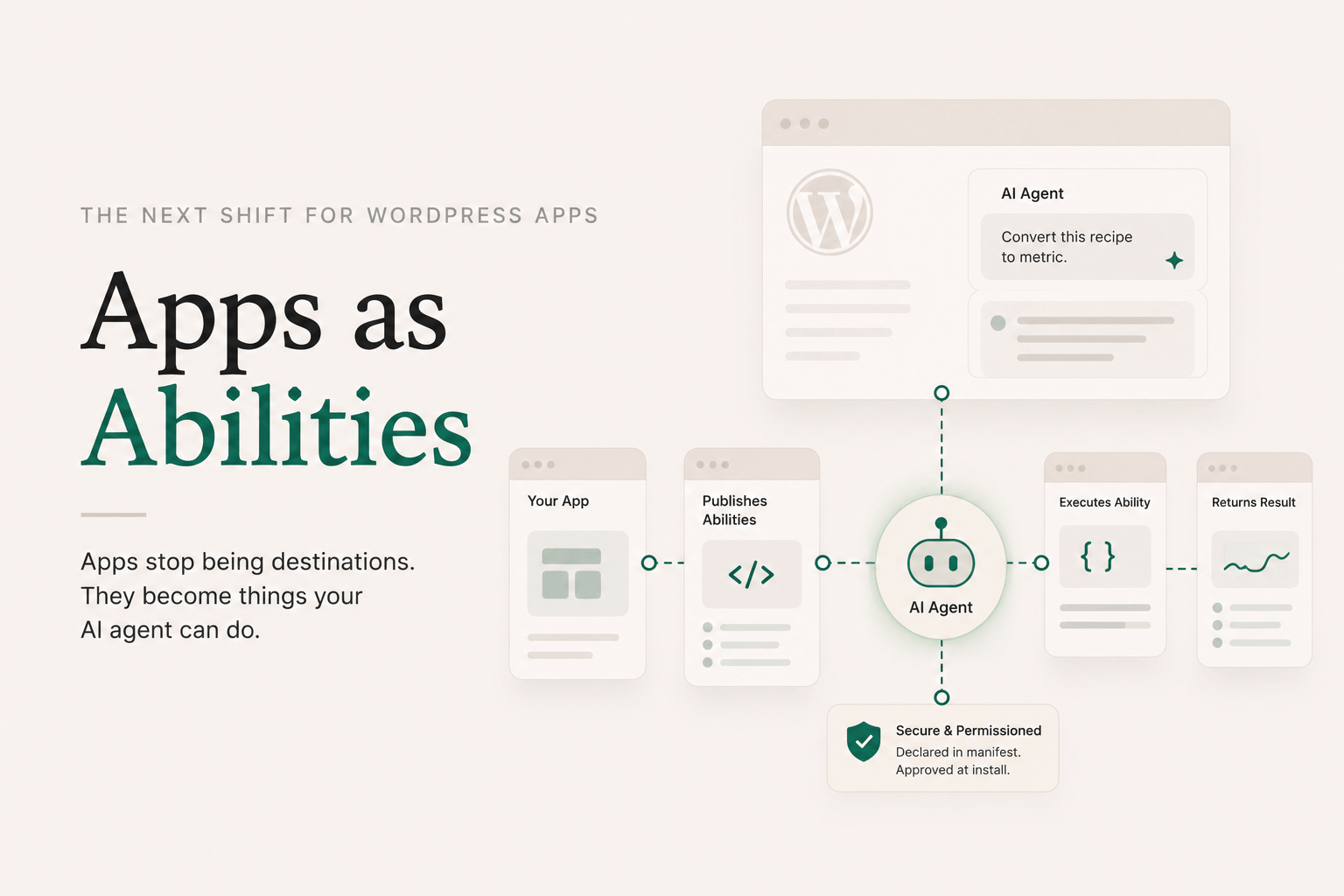
When the app installs, the plugin registers each ability with WordPress’s Abilities API. From that point on, the site’s AI agent (running in wp-admin via @wordpress/abilities) can discover recipe-converter/convert-units and invoke it without knowing or caring that it’s implemented by a sandboxed iframe. The publisher mounts a hidden iframe of your app on demand, dispatches the call across the bridge, and returns the result.
The user asks the site’s agent: “Convert this recipe to metric.” The agent finds recipe-converter/convert-units, calls it, your handler runs in its sandbox, returns structured data, the agent uses the data to answer.
You wrote a few hundred lines of HTML and JS. You got back a function the site’s AI agent can call.
(One honest caveat for v1: the live handler runs in a browser context, because that’s where executeAbility is async and can wait for the iframe roundtrip. Server-side callers like WP-CLI, cron, or PHP-context AI Client invocations get a structured client_only_ability error pointing them at the browser-side surface. The launch demo is the in-admin AI agent, which is browser-context.)
A static iframe app is useful but limited. It’s something a person navigates to. It has a URL. Maybe it’s embedded in a post. It’s a destination.
An app that publishes abilities is something an agent can use. It’s not a destination; it’s a verb. It has a function signature. It composes with other abilities. The site’s AI doesn’t need to know the app exists; it just needs to know recipe-converter/convert-units is a thing it can do, and the rest gets handled.
That’s the inversion. Apps stop being things users find and start being things agents reach for.
A few concrete shapes this enables:
The same plugin that installs a calculator can install an ability. The runtime is identical. The trust model (manifest-declared, user-approved at install) is identical. The deploy command is identical.
WordPress is going to host a lot of agentic workflows over the next few years. The plugins that win are the ones that make it easy to publish into that surface, not just consume from it. DSGo Apps is built for that. Every app you ship is a potential ability. Every developer comfortable in Claude Code is a potential ability author. Every WP site running the plugin is a potential agent surface.
I didn’t fully appreciate this when I started. The original brief was “let people host vibe-coded apps inside WordPress.” The Abilities side was almost a check-the-box addition during the WP 7.0 spec work. But once it shipped, the implications kept widening. An app isn’t a thing you put on your site anymore. It’s a thing your site can do.
That’s the moat I’m betting on.
Justin
For the manifest fields and validation rules around abilities.publishes, see the manifest reference. For the consume side (dsgo.abilities.list/invoke and dsgo.ai.prompt), see the bridge API reference.
This is the local-to-WordPress workflow end to end. By the time you’re done, you’ll have a real app running at https://yoursite.com/apps/your-slug, built in Claude Code, with no clicking around in wp-admin.
You’ll need: Node 20+, a WordPress site with the DesignSetGo Apps plugin installed and activated, an application password for that site, and Claude Code (or any agent; the workflow is the same).
npx designsetgo apps init my-first-app
cd my-first-app
apps init creates a starter project with:
dsgo-app.json manifest with sensible defaults@designsetgo/app-client) already wired upindex.html that proves the bridge worksCLAUDE.md that teaches the agent your manifest format, the bridge API surface, and the constraints of the sandboxed runtimeThat last file is the unlock. It means when you start a Claude Code session in this directory, the agent already knows what it’s allowed to call, what permissions to declare, and what shape the manifest takes. You don’t have to explain it.
npx designsetgo apps login --site https://yoursite.com
You’ll be prompted for your WordPress username and an application password (generate one in Users → Profile → Application Passwords in wp-admin). Credentials get stored at ~/.config/designsetgo/credentials.json, keyed by site URL. For CI, set DSGO_USER and DSGO_APP_PASSWORD instead and skip the login step.
claude
Once you’re in a session, just ask. Something like:
Build me a tool that lists my five most recent published posts in a clean card layout, with the title, date, and excerpt. Use the bridge client.
Claude reads CLAUDE.md, sees the bridge methods, sees the manifest format, and writes the app. It’ll know to:
"posts" to the manifest’s permissions.read arraydsgo.posts.list({ per_page: 5 }) after await dsgo.readyIf you’ve used Claude Code on a typical project, the difference here is how little hand-holding it needs. The starter and the CLAUDE.md give it everything: typed APIs, runnable dev loop, clear constraints. That’s exactly the environment Claude Code is best in.
The starter is an Astro project, so:
npm run dev
…spins up the standard Astro dev server for editing layout, copy, and any non-bridge UI. Bridge calls won’t connect locally (the bridge only exists when your bundle is rendered inside the WordPress runtime), so plan to deploy early and iterate against the real site. Deploys are fast.
When the app does what you want:
npx designsetgo apps deploy --build
--build runs npm run build first so Astro produces a static dist/, then the CLI zips that, validates the manifest, posts the bundle to your site’s REST endpoint, and prints the URL. Open https://yoursite.com/apps/my-first-app and the app’s live.
That’s it. No Vercel, no Netlify, no DNS, no separate auth. Your WordPress site is the deploy target.
npx designsetgo apps list             # see what's installed
npx designsetgo apps deploy --build   # updates the existing app at the same slug
Deploys are idempotent: same slug, same URL, new bundle. You can iterate freely without polluting your site with abandoned apps.
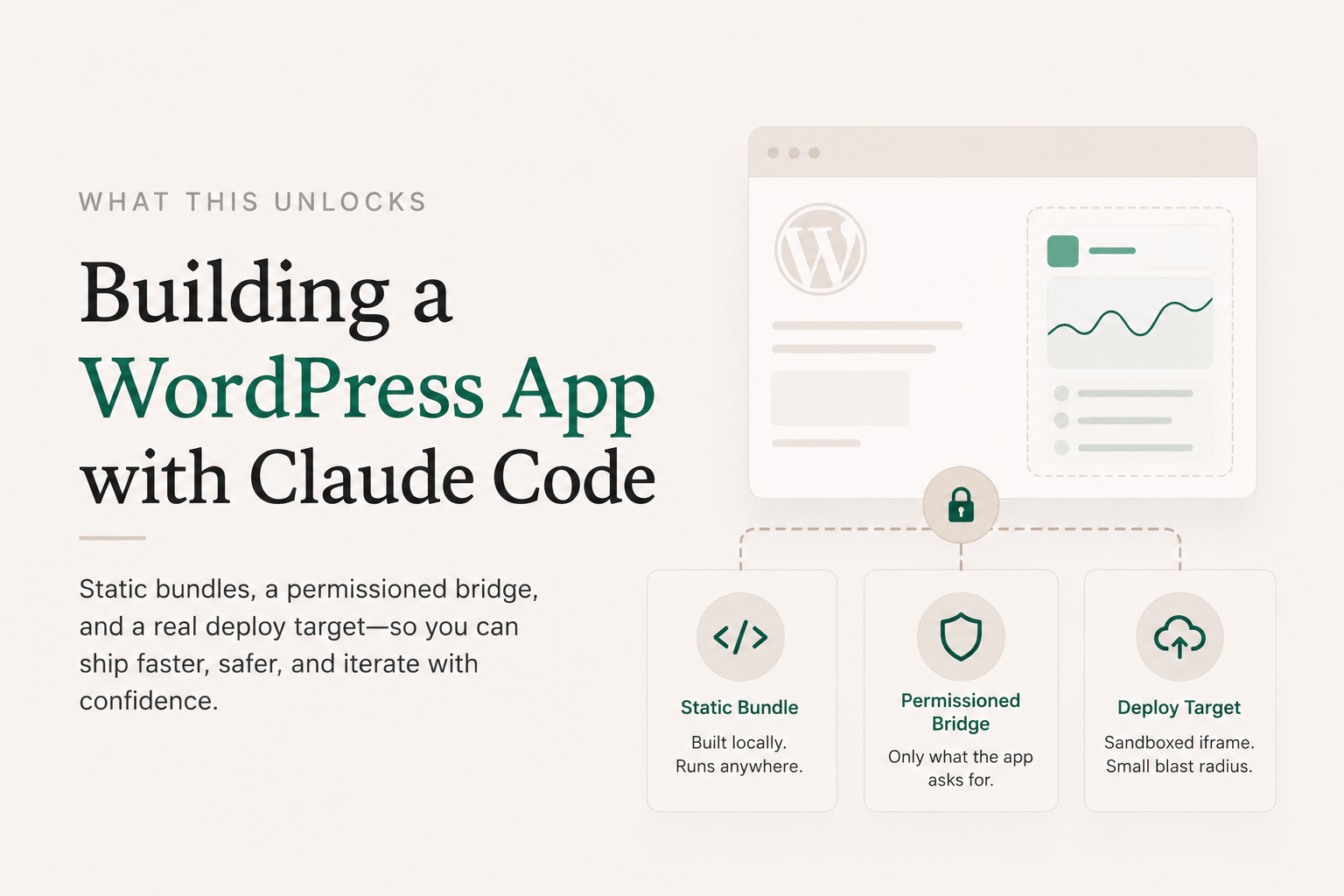
The reason this workflow matters isn’t the 15 minutes. It’s that the same runtime that ran the bundle you built locally is the runtime your client’s site has. You’re not “publishing to production” in the dramatic sense. You’re just putting a static bundle inside a sandboxed iframe on someone’s WordPress site. The blast radius is one app’s iframe.
That changes how you think about shipping. Worth getting wrong? Sure, ship it, iterate. Worth handing to a non-technical site owner? Sure, the manifest tells them exactly what permissions it asked for. Worth letting Claude Code build five variants and picking the best one? Sure, deploy each to a different slug.
Static bundles plus a permissioned bridge plus a real deploy target turns out to be a surprisingly powerful surface.
dsgo-app.json schema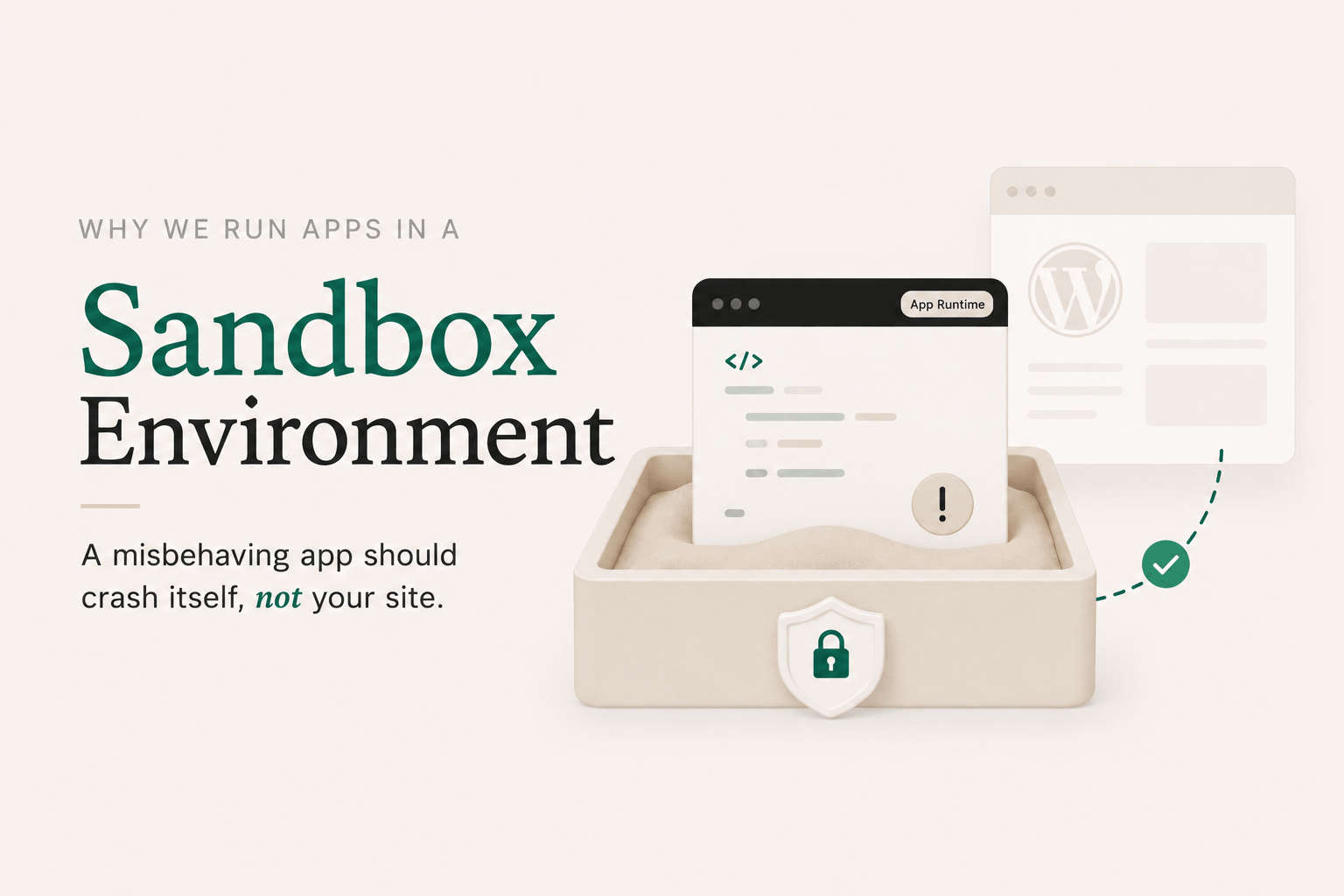
If you’re going to let an AI write code that lives on your WordPress site, you should know exactly what that code can and can’t do. “Trust me, the model’s pretty good these days” is not an answer.
DesignSetGo Apps was designed around a simple principle: a misbehaving app should crash itself, not your site. Here’s how the runtime enforces that.
Every DSGo App runs inside a sandboxed <iframe> with sandbox="allow-scripts" and a strict Content Security Policy. The iframe is served from your domain, but the browser treats it as an isolated context. That means an app can’t:
localStorage belonging to your siteIf an app gets stuck in an infinite loop, throws unhandled errors, or tries to mine cryptocurrency, the only thing affected is that app’s iframe. The rest of your site keeps working. Close the tab and the problem’s gone.
Sandboxing alone would make apps safe but useless. The whole point is that apps should be able to do things: list your posts, look up the current user, save preferences. So we built a postMessage-based bridge between the iframe and the parent page.
It works like a browser extension. Each app ships with a dsgo-app.json manifest declaring which read scopes it needs:
{
  "manifest_version": 1,
  "name": "Post Index",
  "permissions": {
    "read": ["posts", "user"],
    "write": []
  }
}
Each scope unlocks a specific set of bridge methods. posts covers dsgo.posts.list() and dsgo.posts.get(), user covers dsgo.user.current() and dsgo.user.can(), and so on. When you install the app, you see those scopes. You approve them (or you don’t). At runtime, if the app calls a method whose scope isn’t in the manifest, the parent hard-fails the request with a permission error. There’s no implicit access.
In v1, permissions.write must be empty. The bridge is read-only. Write access is reserved for a later version because it’s a different trust conversation, and we’d rather ship a tight v1 than a permissive one.
Every method is documented, every error code is documented, every permission scope is named. If you want to know exactly what an app can reach, you read its manifest. No surprises.
A couple of things deliberately aren’t here yet, because they expand the trust surface:
dsgo.ai.prompt) to invoke the model your site is connected to via the WordPress 7.0 Connectors API, but they can’t make raw fetch() calls to wherever they want. Each app’s manifest declares an explicit runtime.external_origins allowlist (full HTTPS origins, no wildcards), and the CSP enforces it. If an app needs to talk to an external service, it goes through a declared, reviewable path.Sandboxing the iframe is the first layer. Permission-gating the bridge is the second. There are a few more:
posts.list can’t see drafts the current user wouldn’t see anyway.You can install an app written by an AI you don’t fully trust, generated from a prompt you didn’t sweat over, deployed by a teammate you barely supervised, and the worst case is the app doesn’t work and you delete it. Your site stays up. Your data stays put. Your other plugins don’t notice anything happened.
That’s the bar. Everything else is implementation detail.
For the full normative specs, see the manifest reference and the bridge API reference. Both are frozen at v1, with additive-only changes going forward.
I’ve been using WordPress since people still argued about whether self-hosting was worth it. I’ve also spent the last year watching AI coding tools turn what used to be a weekend project into a fifteen-minute one. Those two worlds aren’t talking to each other, and that bothers me.
The vibe-coded stuff lives somewhere else. Vercel. Netlify. A Lovable URL someone pasted in Slack. A standalone site that doesn’t know your customers, doesn’t share your auth, doesn’t show up in your sitemap, and doesn’t get backed up alongside the rest of your business. You build a thing on Tuesday, and by Friday you’ve forgotten the URL.
Meanwhile WordPress, the actual home of your content, your users, your domain, is still treated like it’s only good for posts and pages. Want to add a tool? “Find a plugin.” Want a custom calculator? “Hire a developer.” Want to drop in something Claude wrote you? Good luck.
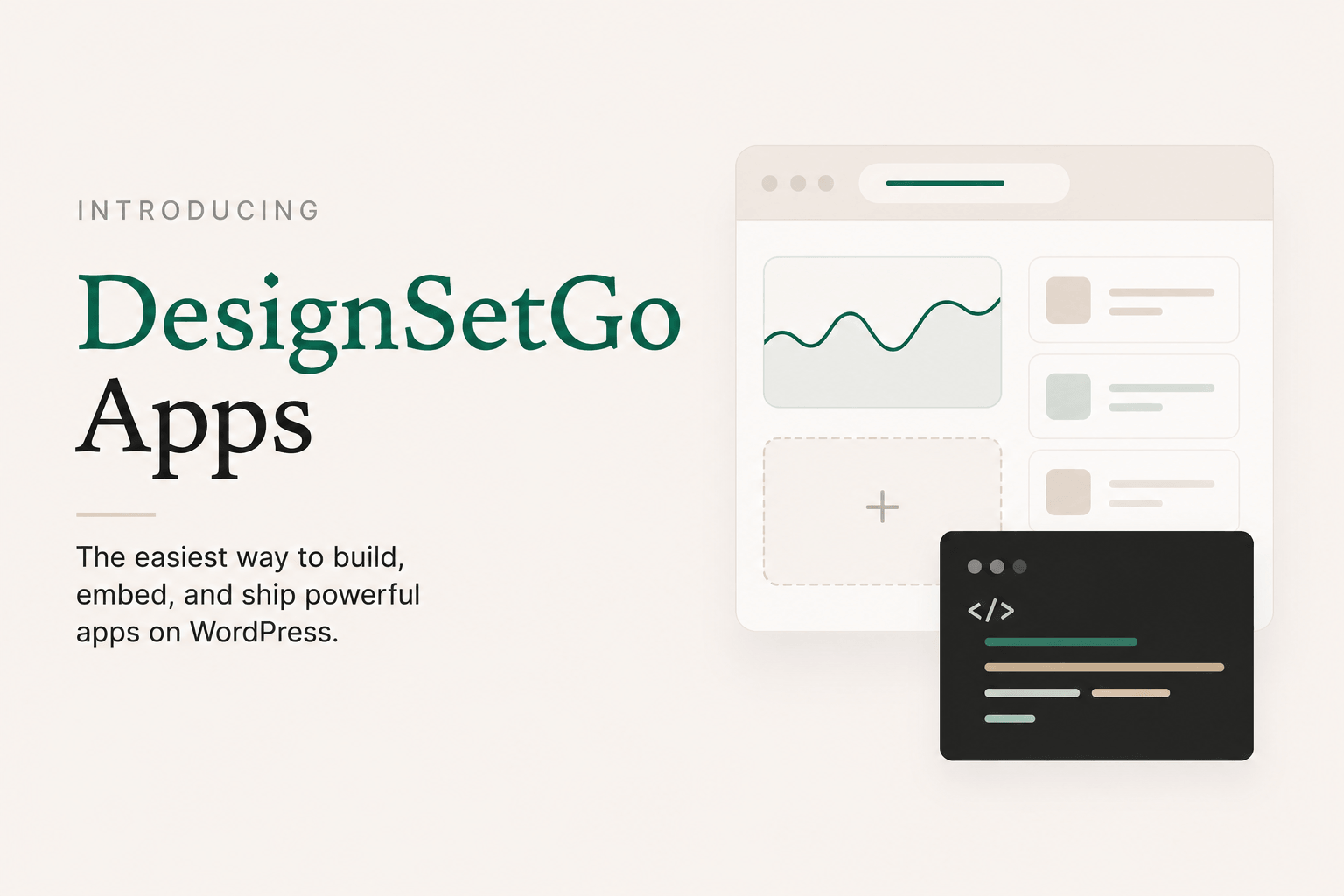
DesignSetGo Apps is the bridge.
A WordPress plugin. You install it, and your site grows a new surface: /apps/{slug}. Each app is a static bundle (HTML, JS, CSS) that lives inside your site, served from your domain, on your hosting plan. Nothing new to log into.
Apps run in a sandboxed iframe (or, optionally, an inline-rendered mode for SEO-friendly multi-page apps). They can’t touch your theme, your other plugins, or your database. What they can do is talk to a permissioned bridge: a postMessage protocol that lets an app ask “give me the latest 10 posts in this category” or “who’s the current user,” and the plugin answers if (and only if) the app’s manifest declared it needs that data, and you approved it at install time. Same model as a browser extension.
That’s the whole pitch in one sentence: sandboxed enough to be safe, connected enough to be useful.
The default lives at /apps/{slug}. But an app’s manifest can also declare mount.mode: "root", and now it serves at /, with no prefix and no slug. One app per site, and it never shadows real WordPress pages, posts, archives, or feeds (those still win). Inline-mode root apps go further: any path WordPress would otherwise 404 on falls through to a route the app declares, so a multi-page app with its own routing effectively becomes the whole site, with WordPress quietly running underneath as the CMS, the auth layer, and the data source.
That changes what the plugin is. It’s not just “host a calculator on your blog.” It’s “build the entire front-end of your WordPress site as an app you wrote in fifteen minutes with Claude Code, while your team keeps editing posts and pages in wp-admin like nothing happened.” The /apps/ surface is for additive tools. The root mount is for replacing the whole front-end.
You don’t have to pick a stack or a workflow. The runtime doesn’t care where the bundle came from.
In the browser. Open the admin page, drop in an HTML file (a saved Claude Artifact, a Bolt/Lovable export, anything self-contained), and get a URL. The harness can also generate apps from a prompt via WP-CLI (wp dsgo harness generate --prompt="..."), routed through the WP AI Client so it uses whichever provider your site is configured for. No separate keys, no separate billing.
From Claude Code locally. npx designsetgo apps init scaffolds a starter project with a typed bridge client and a CLAUDE.md that teaches the agent your manifest format. Build, iterate, test. When you’re ready, npx designsetgo apps deploy --build pushes the bundle to your site. It’s there in seconds.
Same runtime. Same permissions. Same /apps/{slug} URL. The casual user and the Claude Code power user end up in the same place.
WordPress 7.0 (May 2026) shipped three things that change what’s possible in a plugin:
Together, those mean a plugin can offer real AI features without holding API keys, without paying for inference, and without locking users into one provider. DSGo Apps is built on top of that stack. Apps you build can both consume AI (via the bridge) and publish their own abilities for the site’s agent to invoke. (More on that one in a later post.)
The plugin is real. The bridge spec is frozen at v1. The CLI ships, the importer ships, the AI surfaces ship. There’s plenty more to build (block embed, write permissions, more bridge methods), but the wedge is in.
If you’ve been waiting for a way to let WordPress hold the things AI is helping you build, this is it. Try it, break it, tell me what’s missing.
The docs are the place to go deeper: manifest schema, bridge API, the works. The follow-up posts in this series cover the safety story, the Claude Code workflow, and how apps can publish abilities your site’s AI agent can call.
Justin